It’s Friday afternoon, 4pm. Your main server goes down. Your staff can no longer access shared files, emails are blocked and productivity plummets.
Every minute of downtime costs a Swiss SME an average of CHF 5,000 per hour. And that’s just the direct cost, not to mention the impact on your customers, your reputation and the stress on your teams.
The good news? Most of these catastrophic situations are avoidable.

According to industry studies, 80% of IT breakdowns can be anticipated and prevented through appropriate preventive maintenance. In this article, we reveal the 10 essential practices that help Swiss SMEs keep their IT infrastructure running smoothly.
Why are computer breakdowns so expensive?
Before diving into the solutions, let’s take a moment to understand the real impact of an outage on your business. For an SME with 20 employees and an average wage of CHF 80 per hour, each hour of IT downtime immediately represents CHF 1,600 in wages paid without production. Add to this the cost of an emergency intervention, generally billed at 2 to 3 times the cost of preventive maintenance, and you quickly understand why prevention is a profitable investment.
But the indirect costs are often even greater. An e-commerce site that breaks down over a weekend potentially loses thousands of francs in sales. A trustee who can’t send tax returns on time risks penalties. A service company whose customers can’t reach it sees its reputation tarnished.
One statistic should give us pause for thought: according to Gartner, 40% of SMEs that suffer a major breakdown without a continuity plan go bankrupt within 5 years. Prevention is not an option, it’s a strategic necessity.
10 essential practices to prevent breakdowns
1. Set up automatic backups and test them regularly
If I had to pick just one preventive practice, it would be this one. Your data is your company’s most valuable asset. Without it, it’s impossible to bill your customers, produce your services, or even run your day-to-day business. Yet 60% of SMEs that lose their data go out of business within 6 months.
The golden rule is called 3-2-1: keep 3 copies of your data, on 2 different media, including 1 off-site. In practical terms, this means that your data must be backed up automatically every day, stored on a different medium from your main server, and that one copy must be located off-site, ideally in a secure datacenter in Switzerland to comply with the nLPD.
But having backups isn’t enough. You absolutely must test them. All too often, we see companies discover on the day of disaster that their backups haven’t been working properly for months. Test a full restore at least once a quarter, and check daily that your backup jobs have run smoothly. For Swiss SMEs, we recommend Acronis Cyber Protect, a solution that combines backup and security with local hosting.
2. Keep all your systems up to date
Updates have a bad reputation. They’re seen as disruptions that threaten to “break” what’s working. Yet postponing updates indefinitely is one of the most costly mistakes an SME can make. Here’s why: 90% of successful cyber-attacks exploit security flaws that have already been corrected by the manufacturer, but which the company has never installed.
Activate Windows Update on all your workstations so that critical updates are installed automatically. For your servers, schedule a monthly maintenance window outside working hours. Don’t forget your third-party applications, such as Adobe Reader, Java or web browsers, which are also entry points for hackers. And don’t forget your network equipment firmware, such as switches and firewalls.
A good practice is to test critical updates on a pilot workstation before deploying them across your entire fleet. This allows you to detect potential conflicts without impacting your entire company.
3. Monitor disk space and performance
A 95% saturated hard disk is a time bomb. And yet it’s one of the most frequent causes of downtime we encounter in our work. When a disk runs out of space, your whole system slows down dramatically, files can become corrupted, and in the worst case, your server simply refuses to start.
The solution? Set up a monitoring system that automatically alerts you when disk space reaches 80%. At this stage, you still have time to act calmly: clean up temporary files, delete duplicates, archive old data on secondary storage, or plan a capacity extension.
Also keep an eye on your processor and RAM utilization. If your server is constantly running at over 85% CPU utilization, it’s a sign that it’s reaching saturation point. On average, small and medium-sized businesses see their storage needs increase by 20 to 30% every year. Our remote maintenance service includes just such proactive monitoring, with automatic alerts before the problem becomes critical.
4. Protecting your infrastructure against cyberthreats
Ransomware and other cyberattacks are no longer the preserve of large corporations. Swiss SMEs have become prime targets, as they often have less robust protection. The average cost of a ransomware attack for an SME? CHF 50,000 between potential ransom, downtime and system recovery.
Effective protection relies on several layers of security. Start by deploying a professional antivirus like Sophos or Microsoft Defender for Business on all your workstations. Install a next-generation firewall that analyzes incoming and outgoing traffic. But technology alone is not enough: 94% of malware arrives by email, which means that training your staff to identify phishing attempts is just as crucial.
We recommend a multi-layer approach:
- Sophos MDR for 24/7 threat detection and response,
- Barracuda PhishLine for anti-phishing awareness,
- A password manager to secure all accesses.
Finally, never forget that security updates are a top priority and should never be postponed.
94% of malware arrives by email → Training = as important as technology
Evaluate your security – Label Cyber-Safe
5. Check your inverters regularly
A failed UPS is just as dangerous as no UPS at all. A sudden power cut can permanently damage your servers and corrupt data being written. Yet too many companies install a UPS and forget about it for years.
UPS batteries degrade naturally over time, usually within 3 to 5 years, depending on operating conditions and ambient temperature. Test your UPS monthly by simulating a power failure. Connect the UPS to your network for remote monitoring, and configure automatic, clean shutdown of your servers if autonomy becomes insufficient.
Our remote maintenance service includes monthly checks on the condition of your UPS, with alerts in the event of battery failure, enabling you to anticipate replacement before failure occurs.
6. Maintain an optimal physical environment
We often talk about software and cybersecurity, but the physical environment of your equipment is just as crucial. Overheating is the leading cause of premature hardware failure. A server running constantly at 70°C will see its lifespan halved.
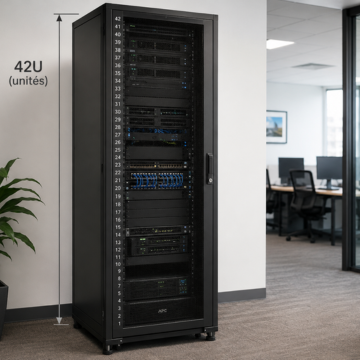
Your server room should maintain a temperature of between 18 and 25°C. Regularly check that the fans on your equipment are working properly and that they are not clogged with dust. Professional dust removal every 6 months is recommended. Organize your cables so as not to block air circulation, and make sure your air conditioning is redundant and well maintained.
The classic mistake we see all too often: a server installed in an unventilated cupboard. The result in summer: overheating, power cuts and accelerated hardware ageing.
7. Document your IT infrastructure
In the event of a breakdown, every minute counts. Without up-to-date documentation, diagnosis can take three times longer. Worse still, if your in-house IT technician leaves overnight, all knowledge of your infrastructure disappears with him.
Maintain a complete, up-to-date network diagram mapping all your equipment and its interconnections. Keep a detailed inventory of your equipment, including purchase dates and warranty periods. Centralize all your passwords in a secure password manager accessible only to authorized personnel. Document critical procedures such as backup restores or emergency failovers.
This documentation must also include a list of all your service providers with their emergency numbers, your support contracts, and the history of breakdowns with the solutions provided. Our maintenance contracts include this complete documentation and its continuous updating.
8. Anticipate replacement of aging equipment
A 7-year-old server is five times more likely to fail than a newer one. And the cost of an unexpected failure often far exceeds the cost of a planned preventive replacement. Yet many companies wait until the hardware gives up the ghost before reacting.
Establish a renewal plan based on realistic life cycles. For workstations, allow 4 to 5 years. For servers, don’t exceed 5 to 7 years. Network equipment can last 5 to 8 years, but UPS batteries should be replaced every 3 to 5 years. As for conventional hard disks, their optimum lifespan is 5 years maximum.
The smart strategy is to replace your hardware in stages rather than all at once, thus spreading out your investments. For a healthy SME, the IT budget should represent 5 to 8% of annual sales.
9. Train your employees in best practices
Here’s a sobering statistic: 70% of IT incidents are caused by human error. A well-trained employee becomes your best line of defense against breakdowns and cyber-attacks. Conversely, a user unfamiliar with best practices can cause considerable damage without even realizing it.
Start with the basics: clean shutdown of computers, immediate reporting of abnormal behavior, no food or drink near equipment. But go further with real cybersecurity training. Your teams need to know how to identify a phishing email, understand the importance of strong passwords, and be aware of the risks associated with unknown USB keys.
Set up an awareness program with initial training for all new employees, an annual cybersecurity refresher session, and simulated phishing tests via tools like Barracuda PhishLine. Companies that regularly train their teams reduce phishing-related security incidents by 70%. We offer cybersecurity training specially designed for Swiss SMEs.
10. Draw up a preventive maintenance contract
You don’t wait until your car breaks down to have it serviced. Why should you do the same with the IT infrastructure that powers your business? A preventive maintenance contract is the best investment you can make to avoid costly breakdowns and maintain a high-performance infrastructure.
In concrete terms, this means monthly visits to your premises by a certified technician, 24/7 proactive monitoring of your infrastructure, preventive interventions to correct anomalies before they become critical, and priority support in the event of a problem. Beyond the technical aspect, it also means strategic support to help your IT evolve in line with your needs.
Our Infologo maintenance contract includes monthly on-site checks, continuous remote monitoring of critical servers and services, verification of backups with test restores, system and software updates, unlimited technical support for our Gold customers, complete documentation of your infrastructure, and monthly reports with recommendations.
The return on investment is impressive: companies that adopt preventive maintenance reduce the number of IT breakdowns by 70% and save an average of CHF 15,000 a year in avoided breakdowns.
Ask for your customized maintenance contract.
Preventive maintenance vs. troubleshooting: the real calculation
Many SMEs operate in reactive mode, calling in a technician only when everything breaks down. This is a false economy. Let’s take the concrete example of an SME with 15 employees over the course of a year.
Without preventive maintenance, you can expect around 3 major breakdowns in a year, each costing around CHF 3,000 in emergency intervention and downtime, or CHF 9,000. Add 5 one-off breakdowns billed at the higher emergency rate, each costing around CHF 800, or a further CHF 4,000. Count 2 full days of productivity downtime over the year, or CHF 9,600 in unproductive wages. And if you have a data loss incident requiring professional recovery, add another CHF 2,500. The total climbs to CHF 25,100 per year, not counting the stress and commercial impact.
With a preventive maintenance contract, you invest around CHF 12,000 per year for monthly monitoring. Thanks to active prevention, you may have one minor breakdown a year, costing CHF 800. No major data loss, no significant downtime. Total: CHF 12,800 per year.
The savings amounted to CHF 12,300, i.e. a 49% saving, while providing peace of mind and business continuity.
Checklist: assess your level of prevention
Take a few minutes to honestly assess where you stand. Count how many of these 10 points you can check off today:
□ Automatic daily backups with quarterly restore tests
□ All systems regularly kept up to date (Windows, servers, applications)
□ Disk space and performance monitored with automatic alerts
□ Professional antivirus and firewall configured correctly
□ UPS tested monthly with recent batteries
□ Server environment air-conditioned and regularly dusted
□ Documented infrastructure with up-to-date diagrams and inventories
□ Hardware renewal plan drawn up and adhered to
□ Regular team training on security
□ Active preventive maintenance contract with service provider
Your score:
8 to 10 points: Excellent! You’ve implemented a real prevention strategy.
5 to 7 points: Good level, but still needs some improvement for optimum protection.
2 to 4 points: Moderate risk. Time to act before a major breakdown occurs.
0 to 1 point: High risk. We recommend an urgent audit of your infrastructure.
What to do in the event of a breakdown?
Even with the best preventive practices, a breakdown can happen. An unpredictable hardware failure, a natural disaster, or just plain bad luck can strike any business. Here’s how to respond effectively.
First of all, don’t panic. A hasty reaction often makes the situation worse. Take 30 seconds to note the time the breakdown began, identify precisely which systems are affected, and check whether other employees are experiencing the same problem. This information will be invaluable for diagnosis.
Then follow your crisis procedure, if you have one (which is the whole point of point 7). Consult your emergency checklist, contact the right person, and gather the information needed for diagnosis. If you have a maintenance contract with Infologo, call us immediately on 022 707 74 74 for Geneva or 021 566 74 50 for Lausanne. Our team knows your infrastructure and can intervene as a matter of priority.
If you don’t have a contract, contact us anyway for urgent troubleshooting. We’ll carry out a rapid diagnosis and a targeted resolution to get your systems back up and running as quickly as possible.
Finally, once the crisis is over, take the time to document the incident. Make a note of what happened, identify the root cause of the problem, and put in place corrective measures to prevent it from happening again. Every breakdown is an opportunity to improve your prevention strategy.
Protect your infrastructure now
IT breakdowns are not inevitable. With a structured preventive approach, you can reduce your IT incidents by 70%, save up to 50% on your annual IT costs, and, above all, concentrate serenely on your core business.
Don’t let an avoidable breakdown paralyze your business. Our experts will assess your level of risk free of charge and propose a prevention plan tailored to your budget and real needs.