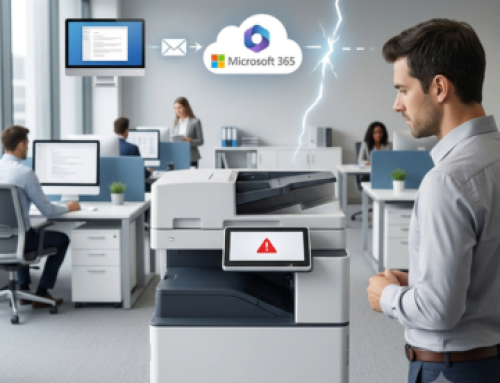
Tuesday morning, 9am. Your mail server goes down. 20 employees without email. You call your IT provider.
You have two options: wait for a technician to make the 45-minute drive to your site, or get a remote resolution in 10 minutes via remote maintenance.
The difference is striking. Today, 80% of IT breakdowns can be resolved remotely, without having to travel, in just a few minutes. Remote maintenance has become a standard feature of modern IT support, enabling Swiss SMEs to drastically reduce downtime and repair costs.

In this article, we explain how remote maintenance works, what problems it can solve, and why it can save your company considerable time and money.
What is remote computer maintenance?
Remote maintenance involves working on your computer system via a secure connection, without the physical presence of a technician on your premises. In concrete terms, the technician takes control of your computer, server or network infrastructure as if he were sitting in front of your screen.
This approach differs radically from conventional telephone support, where the technician guides you verbally (“Click on Start, then…”). With remote maintenance, you remain a spectator while the professional acts directly on your system. You see everything he does in real time, but you don’t have to do anything.
There are two types of remote maintenance. Ad hoc remote maintenance is carried out at your request to solve a specific problem. Proactive remote maintenance, included in maintenance contracts, combines continuous monitoring of your infrastructure with preventive interventions before you even notice a problem.
The 4 key benefits of remote maintenance
Easy to use
The most immediate and visible advantage of remote maintenance is its ease and speed. No journeys to organize, no appointments to schedule in the technician’s diary. Once the connection is established, the intervention starts immediately.
For a blocked mailbox, a software program that crashes, or a configuration problem, resolution generally takes between 10 and 30 minutes. Compare this with the 2 to 4 hours needed to organize and carry out an on-site intervention (including travel), and you understand the impact on your business continuity.
Substantial savings
The cost of an on-site IT intervention in French-speaking Switzerland is made up of the technician’s working time (generally 180 CHF/hour) plus travel expenses (40 to 80 CHF depending on distance). For a 1h30 intervention, you can easily pay 320 to 380 CHF.
The same remote maintenance intervention costs between CHF 60 and 150, depending on the duration and your billing formula. The average saving per intervention is CHF 300. For an SME that calls on IT support 10 times a year, this represents annual savings of CHF 3,000.
Extended availability
A technician can hardly manage more than 3 or 4 on-site interventions a day, including travel. The same technician can handle 10 to 15 remote interventions in the same day. For you, this greater efficiency means greater availability of your service provider.
Remote maintenance also enables a single technician to cover the whole of French-speaking Switzerland without geographical constraints. Whether you’re in Geneva, Lausanne, Sion or Neuchâtel, you benefit from the same rapid response.
Technical efficiency and traceability
When a technician has direct access to your system, he can diagnose the problem much more quickly than over the phone. He sees exactly what the error messages are, can test different solutions, and immediately verifies that the problem has been solved.
What’s more, each remote maintenance session can be recorded and documented. After the intervention, you receive a precise report of the actions carried out, facilitating traceability and enabling you to identify recurring problems requiring a permanent solution.
What problems can be solved remotely?
Remote maintenance solves 80% of IT problems encountered by SMEs. Here’s an overview of the most common situations.
Software and system problems
Windows or macOS that won’t start up properly, blocked updates, software that crashes repeatedly, mysterious system errors, problems with expired licenses… All these malfunctions can be resolved perfectly remotely. The technician accesses the system, identifies the cause, applies the correction, and tests for correct operation.
Messaging and the cloud
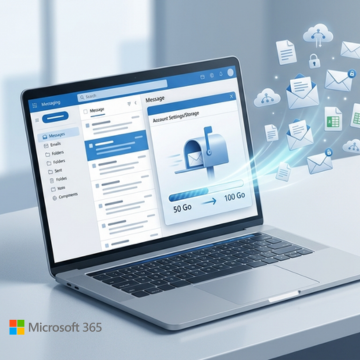
Messaging problems are among the most pressing for businesses. Saturated mailboxes, emails that no longer go out, Office 365 synchronization problems, faulty SharePoint or OneDrive access… Remote maintenance excels in this field, with a resolution rate close to 90%.
Network and VPN
Incorrect Wi-Fi configuration, VPN connection problems for telecommuters, misconfigured network settings, remote access that no longer works… As long as you have a working Internet connection, these problems can be solved entirely remotely.
Computer security
Virus detection and removal, antivirus configuration, firewall updates, backup integrity checks… Remote maintenance is particularly effective for security interventions requiring in-depth system access.
Performance and optimization
Computer sluggishness, interminable start-up, disk space saturation, unnecessary programs consuming resources… A remote optimization session lasting just a few hours can give your infrastructure a new lease of life, with no need to travel.
When on-site intervention is still necessary
The remaining 20% require a physical presence. These are mainly hardware problems: replacement of faulty components (hard disk, memory, broken screen), installation of network cabling, complete Internet connection failure preventing remote maintenance, or recovery of data from a severely damaged hard disk.
Our approach is always to start with a remote diagnosis. If the problem can be solved without travelling, you save time and money. If a physical intervention is necessary, we plan it with you in mind.
Remote maintenance or on-site intervention: what’s the best choice?
To help you understand when to favour each approach, here’s a quick comparison chart:
| Criteria | Remote maintenance | On-site service |
|---|---|---|
| Response time | Minutes to hours | Hours to days |
| Average cost | CHF 60-150 | CHF 230-460 |
| Types of problems | 80% of failures | 100% of failures |
| Geographical area | Unlimited | Limited to radius of action |
| Travel | None | Required |
Our recommendation
We always recommend starting with a remote diagnosis. In the vast majority of cases, the problem can be solved without having to travel, saving you time and money. If the analysis reveals that a physical intervention is necessary (hardware problem, network installation), we then plan it in full knowledge of the facts.
This hybrid approach optimizes costs, response times and efficiency. That’s why our Infologo maintenance contracts systematically combine remote monitoring with regular on-site visits.
Discover our IT maintenance contracts
Remote maintenance, a modern standard
Remote maintenance is no longer an option or a second-best alternative. It has become a standard of modern IT support that every SME should integrate into its IT strategy.
The benefits are undeniable: 80% of problems are resolved in a matter of minutes, average savings of CHF 300 per intervention, greater availability of technicians, and full traceability of actions carried out. For companies whose business depends on their IT, reducing the time taken to resolve a breakdown from several hours to just a few minutes is a considerable productivity booster.
Nevertheless, according to the latest Cyber Threat Report 2026, RMM (Remote Monitoring and Management) tools are now widely used as a means of attack.
The key point is that, when coupled with a preventive maintenance contract including remote monitoring, remote maintenance becomes a powerful preventive tool. Your infrastructure is continuously monitored, anomalies are detected before they become critical, and corrections are applied remotely without you even noticing.
It’s the promise of uninterrupted computing.
If you’re looking for a remote maintenance service in Geneva or Lausanne, don’t hesitate to contact us.
Case study
A structured and secure IT infrastructure
for this Geneva-based international trading company